In development
Aura
Your voice-first personal systems companion
Not another chatbot you open and close. An always-nearby assistant — wake her by name, talk naturally, and give her an email so she can act in the outside world on your behalf.
Most assistants only talk. Aura keeps context — and when you equip her with email, she can outreach, draft, and coordinate until the work is actually done.
Voice
Talk like a person, not a form
Say her name and go. No unlocking an app mid-thought.
Listen
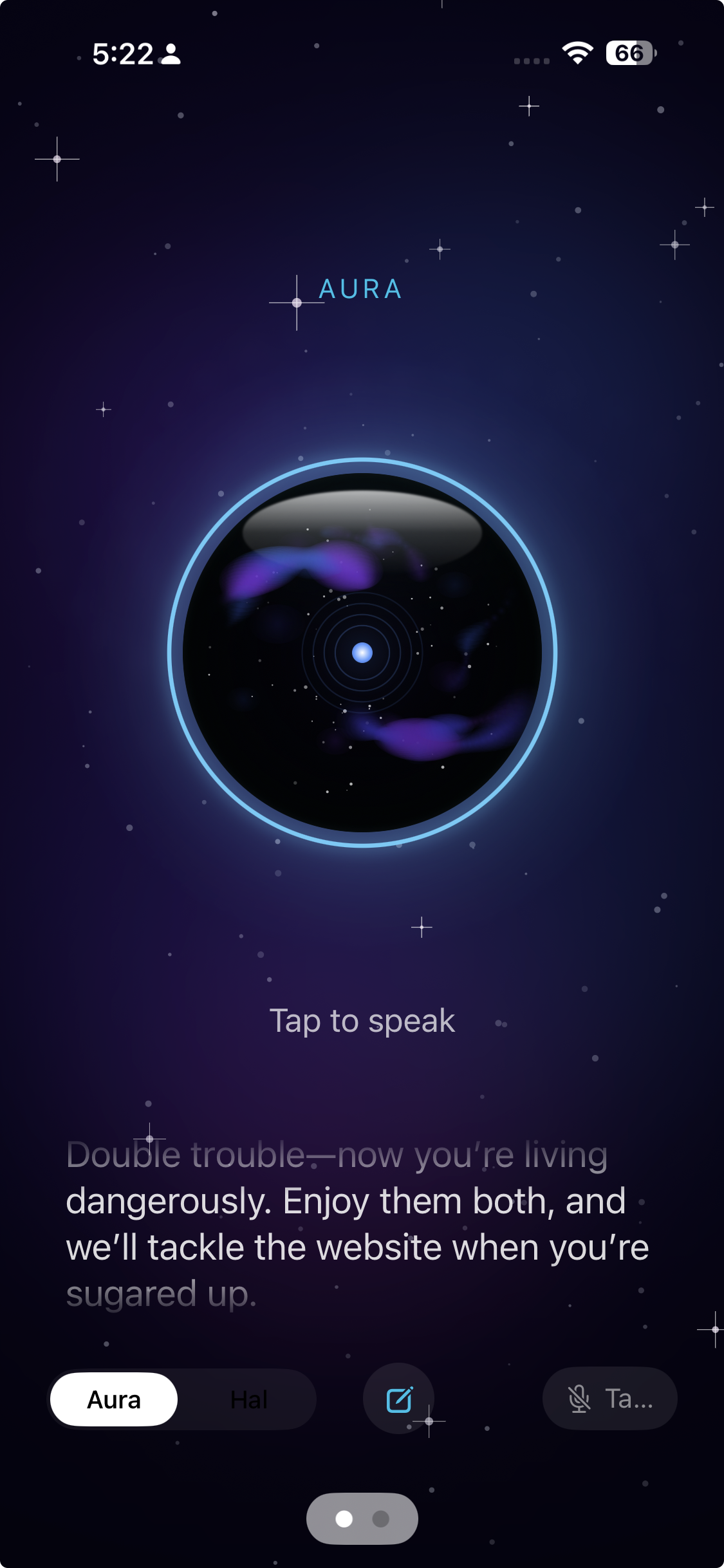
Ask — then hear her answer
A real capture from Aura on iPhone. Long pauses tightened so the back-and-forth feels snappy.
Wake word + hands-free
Say “Aura” (or “Hal”) and start talking. She listens when you need her.
Realtime duplex voice
Conversational audio with interrupt and barge-in — cut in the way you would with a colleague.
Two personas
Aura for warm counsel; Hal for dry, mission-control precision.
Lower friction than typing — ideas get captured and answered in the moment they appear.
Acts in the world
Equip her with email. She handles the outside world.
Give Aura an address and she doesn’t just advise — she reaches out, follows threads, drafts replies, and coordinates with you until you have a real answer.
Her own email
Aura can be equipped with an email address so she can send, receive, and continue conversations with people and businesses on your behalf.
Real outreach
Ask for quotes, availability, follow-ups, or research from the outside world — she initiates contact and tracks responses.
Draft & coordinate
She drafts replies, surfaces tradeoffs, and checks in with you before anything that needs your judgment.
Close the loop
Results come back as options you can decide on — not a pile of tabs you meant to open later.
Example
“Get me three quotes from three Ford dealerships on an F-150 FX4. Best offer out the door.”
Aura emails the dealers, follows up, drafts responses, and coordinates with you as offers come in — so you compare real numbers, not wishful browsing.
You stay in the loop on decisions. She runs the back-and-forth.
Memory
She remembers what matters
Continuity across days, devices, and weeks — so you stop re-explaining yourself.
Conversation journal
Recent exchanges stay available so you don’t re-explain.
Durable memory
Standing facts about you and your world persist across days.
Activity chronicle
A dated log of conversations, meetings, and notes you can ask about later.
Knowledge & outcomes
Project docs and meeting notes when warranted — plus actions, decisions, and open questions that stay trackable.
You stop losing threads between meetings, devices, and weeks.
Everyday
Also close to your day-to-day
Voice for the small stuff too — so fewer things slip between apps.
Tasks & reminders
Capture to-dos by voice; get spoken or notification nudges when due.
Your inbox, too
Check mail, draft, send, mark read, and run morning check-ins — without living in Outlook.
Meeting capture
Dictate or drop notes; she summarizes and files them into your chronicle.
On-demand tools
Apple Music, web search, flight status, and browser consult — only when you ask, never background snooping.
Capture, check, and act without living in half a dozen windows.
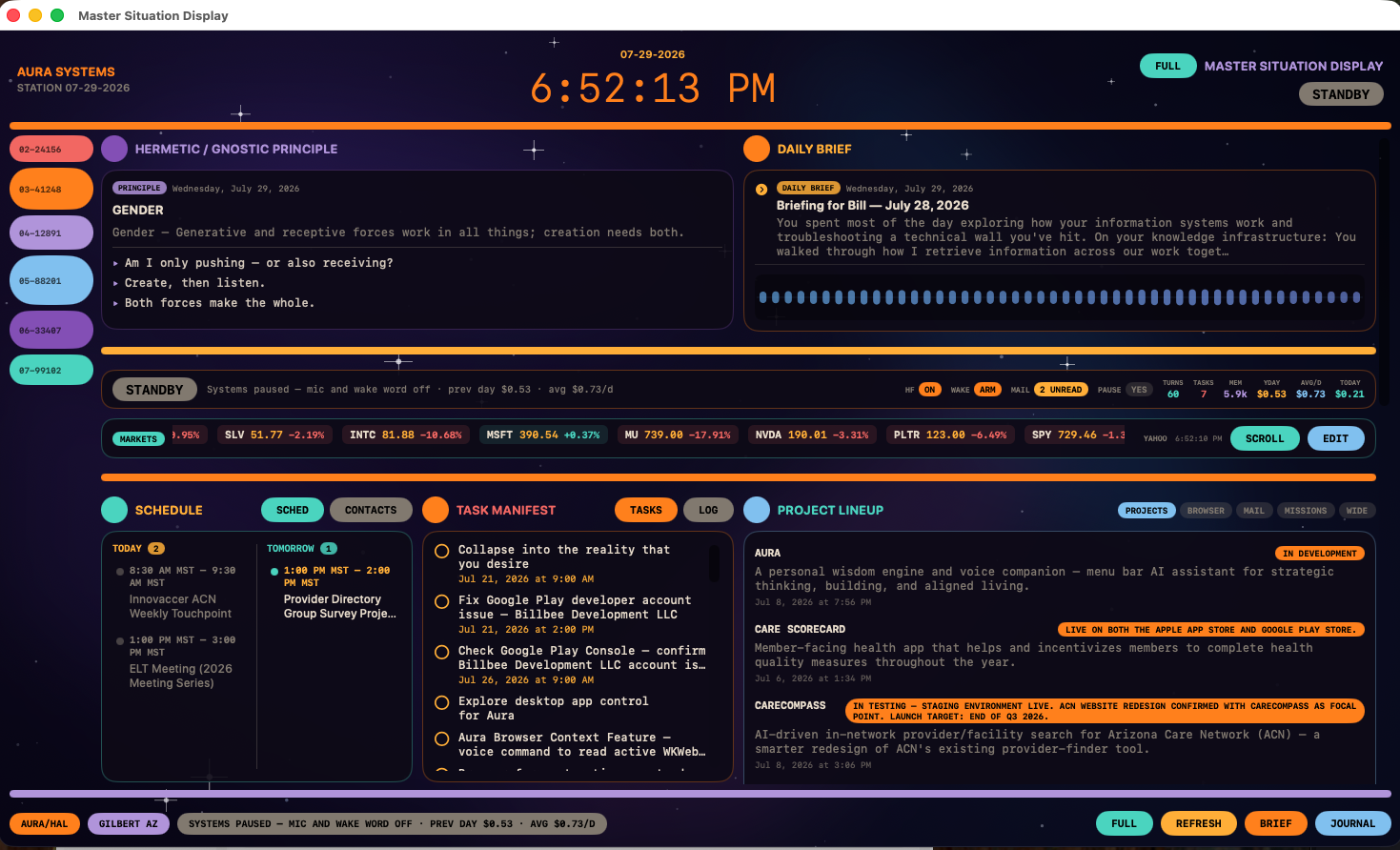
Situation Display
Orient yourself in seconds
A Mission Control–style command surface on macOS — the big picture when you sit down to work.
Daily brief
Auto-built from today’s journal and activity log, with history by date.
Today at a glance
Schedule, tasks, comms, research, projects, and meeting outcomes in one place.
Live panels
Embedded browser and mail — plus a systems strip when you want depth.
Presence
A live waveform when you’re talking; a quiet line when idle.
A single glance replaces digging through notes, calendar, and chat history.
Everywhere you are
Built for how you actually live
Start a thought at the desk, finish it from the phone — same Aura, same memory.
macOS
An orb always at hand, plus the full Situation Display when you need depth.
iPhone
The same companion on the go — wake, talk, and stay oriented away from the desk.
iCloud sync
Journal, memory, knowledge, activity log, and tasks stay aligned across devices.
Modes
Different gears for different kinds of thinking
Same companion — operations in the morning, reflection at night.
Council mode
Multi-perspective reasoning when a decision is sticky.
Story mode
Narrative framing when you want meaning, not just bullets.
Pause / resume
You’re in control of when she’s listening.
Ready when you are.
Aura is in development. If you want a voice-first companion that keeps context across your systems — talk to us.