Work · in development
CadenceXL
Meetings decide. CadenceXL delivers.
Every meeting ends with decisions and action items — and most of them quietly don’t happen. CadenceXL is the layer that captures what was said, owns the next move, and chases the work until it’s done.
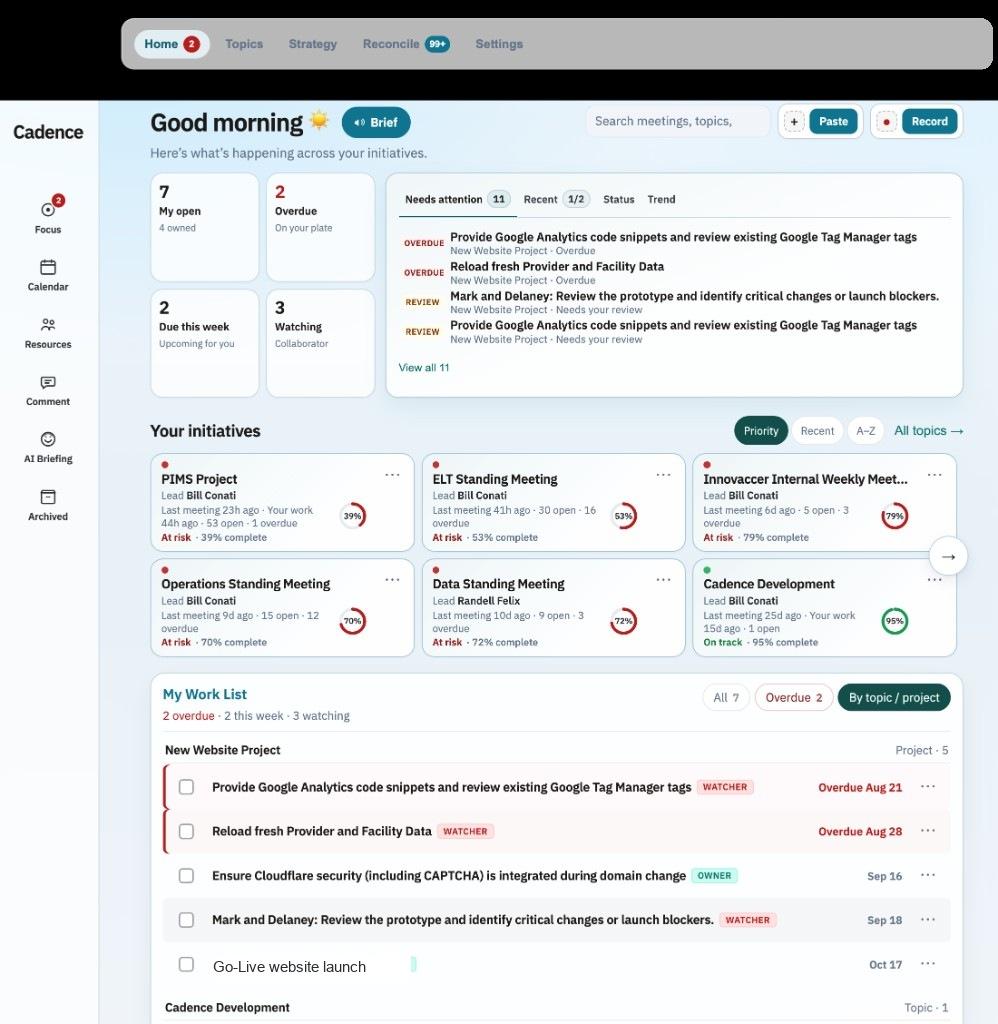
Now: paste notes or record right from the web page.
The promise
Close the loop after the meeting.
Capture where the work already is.
Paste a transcript, drop meeting notes, or hit Record on the page. No scavenger hunt through email threads and forgotten docs — intake starts in CadenceXL.
Turn talk into owned work.
Objectives, tasks, owners, and due dates — not a graveyard of bullet points. Everyone sees what’s open, what’s overdue, and who’s on the hook.
See the portfolio, not just the meeting.
Home shows what needs attention across initiatives. Topics keep strategy, meetings, risks, and activity in one place leadership can actually read.
Risks and briefs that don’t get buried.
Surface risks from the notes. Generate an executive brief when you need the short version. The work stays visible after the Zoom ends.
Paste or record
Get the meeting in. Right from the page.
CadenceXL now meets you where the conversation ends. Paste notes or a transcript, or record from the browser — then let CadenceXL structure what matters.
Less copy-paste archaeology. More signal into the system that already tracks owners, deadlines, and follow-through.
Paste · Record · Web intake · Structured into topics and work
Focus
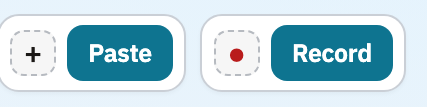
Open CadenceXL and know what needs you.
The home view is a morning brief for operators — open work, overdue items, initiatives at risk, and a ranked list of what needs attention.
You don’t rebuild a to-do list from five apps. CadenceXL already knows what’s slipping.
Needs attention · Initiatives · My work · Priorities at a glance
Topics
One topic. Meetings, work, and status together.
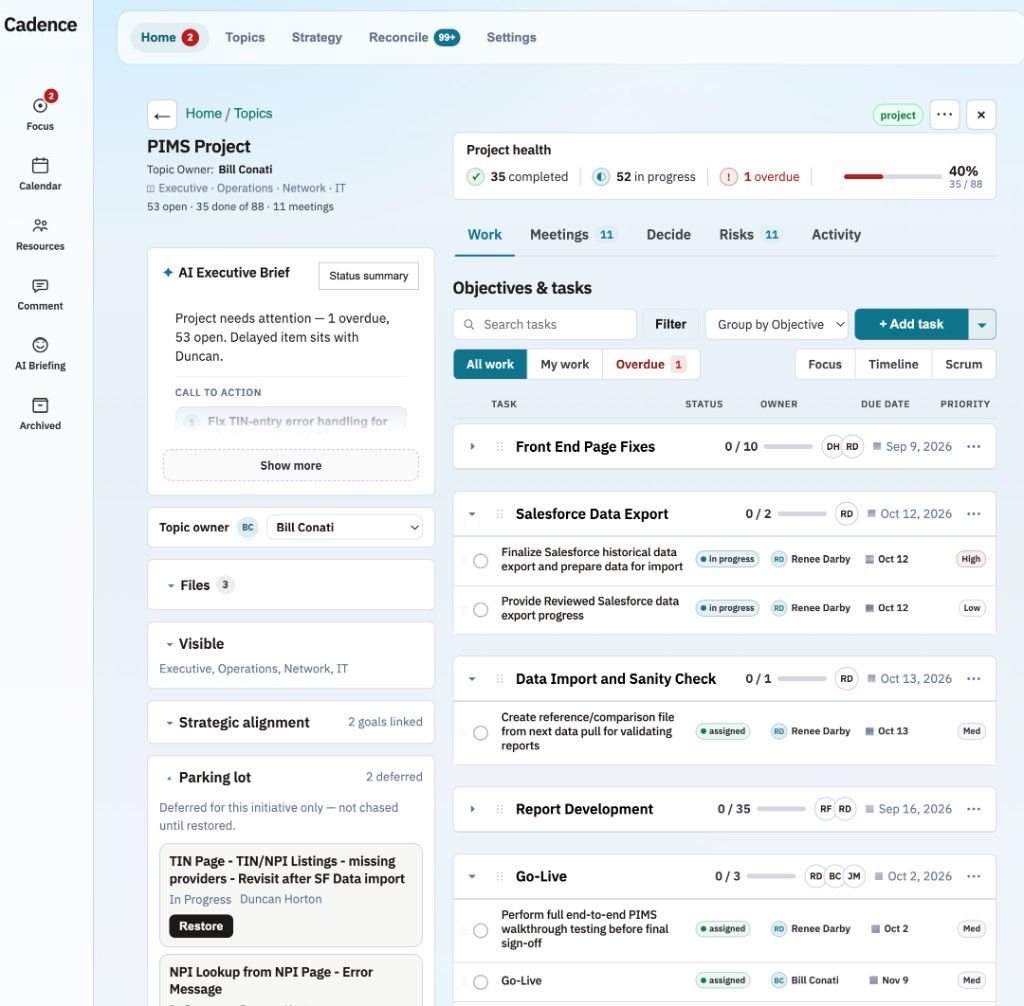
Each initiative is a topic — owner, visibility, strategic alignment, files, and a living work list grouped by objective.
Progress isn’t a feeling. It’s completed vs open, overdue called out, and health you can brief without rebuilding the story.
Objectives · Owners · Meetings · Progress · Activity
Executive brief
The short version leaders actually read.
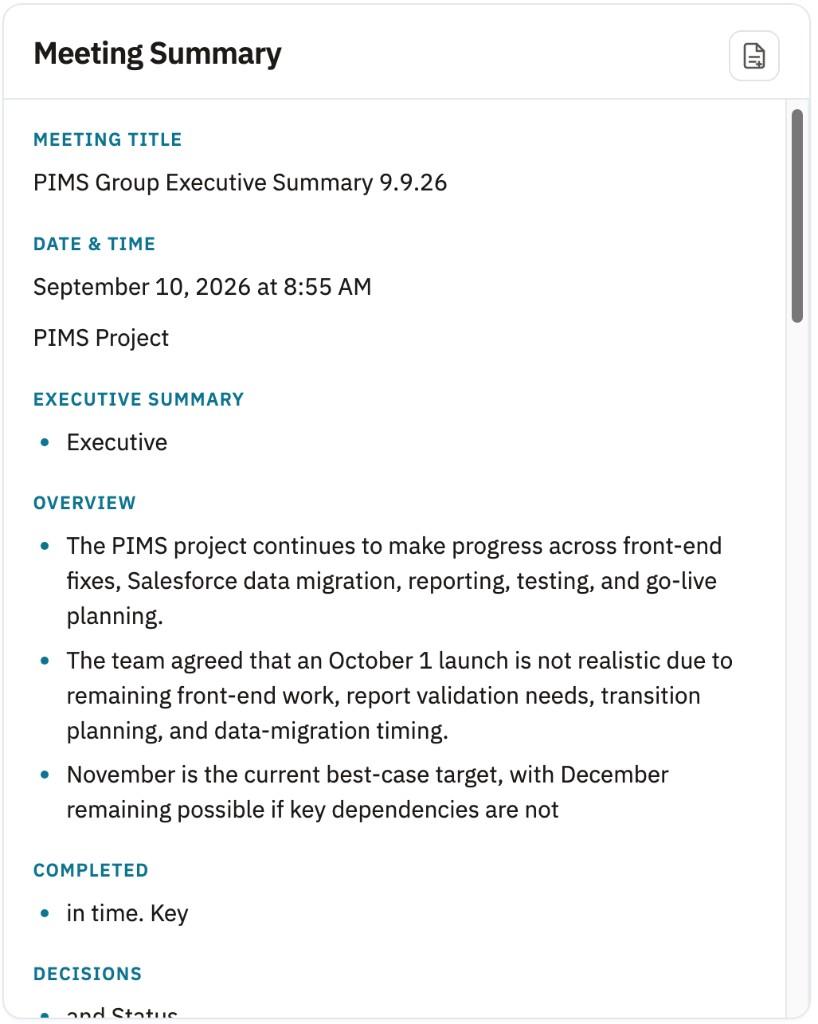
When the thread is long, CadenceXL can surface an AI executive brief — what’s on track, what needs attention, and the call to action.
Meeting summaries stay structured: overview, completed, decisions, and the trail that connects talk to ownership.
AI executive brief · Meeting summary · Decisions · Status
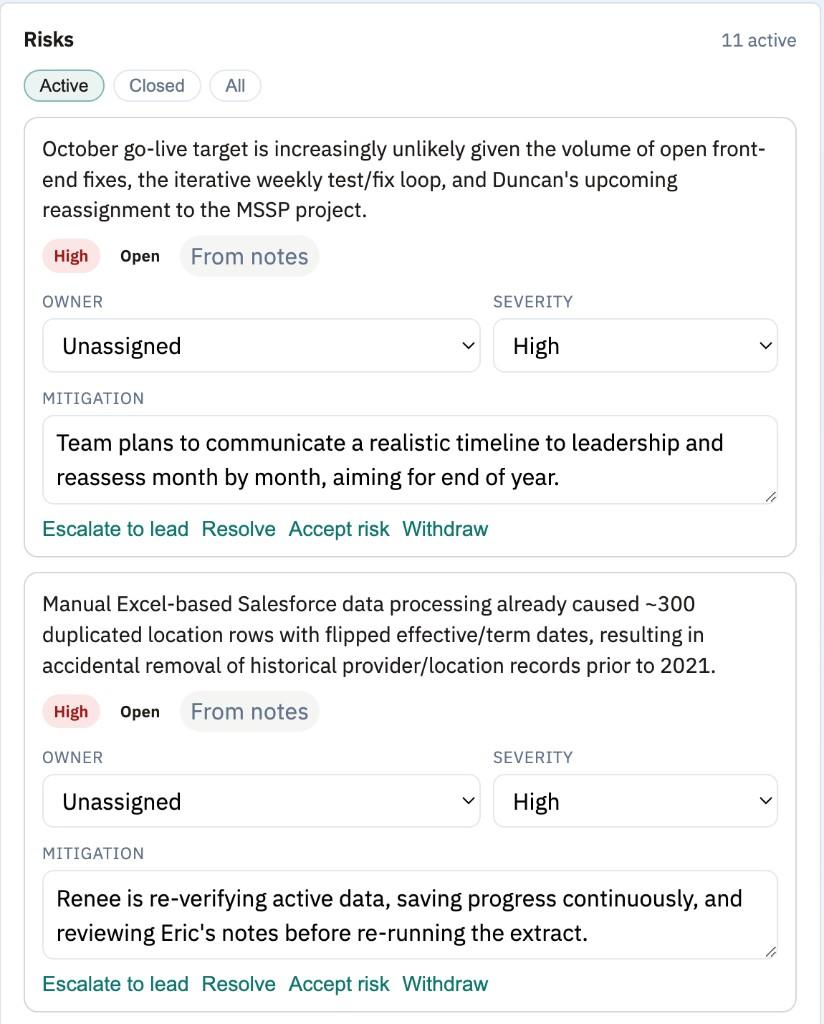
Risks
Name the risk before it becomes the postmortem.
Risks pulled from notes don’t disappear into someone’s head. Assign an owner, set severity, write the mitigation, escalate or resolve.
Active risks stay on the topic — not in a spreadsheet that only gets opened after the miss.
Active risks · Severity · Mitigation · Escalate / resolve / accept
Watch
See the story.
How CadenceXL turns meeting decisions into work that actually finishes.
Fit
Who it’s for
Operators, program leads, and leadership teams who run real initiatives across meetings — and are tired of decisions dissolving into chat, notes, and “I’ll follow up.”
Who it’s not for: a generic notes app, or a task tool with no connection to meetings and strategy. CadenceXL is the close-the-loop layer after the meeting ends.
Fair contrast
Why not notes + tasks alone
Notes apps capture the meeting. Task apps track chores. Neither systematically turns decisions into owned work with visibility for leadership. CadenceXL is built for that gap — capture on the page, structure the work, chase it to done.
FAQ
Straight answers.
Is CadenceXL live?
CadenceXL is in development and already proving the model in the field. Talk to us if you want to see it or explore an embedded engagement.
Can I paste or record from the web?
Yes. CadenceXL supports paste and record intake right from the web page — so capture isn’t stuck in a separate recorder or a lost email.
How is this different from Meetingly?
Meetingly closes the note — summaries, tasks, follow-ups from the conversation. CadenceXL closes the work after the meeting: topics, owners, risks, and portfolio attention until it’s done.
Is there a PDF overview?
Yes — you can still download the exec overview PDF. The Learn more path is this page, with the product story and current screens.
Prefer a PDF? Download the exec overview.
Stop letting meetings end where the work should begin.
Paste or record. Own the next move. Deliver.